


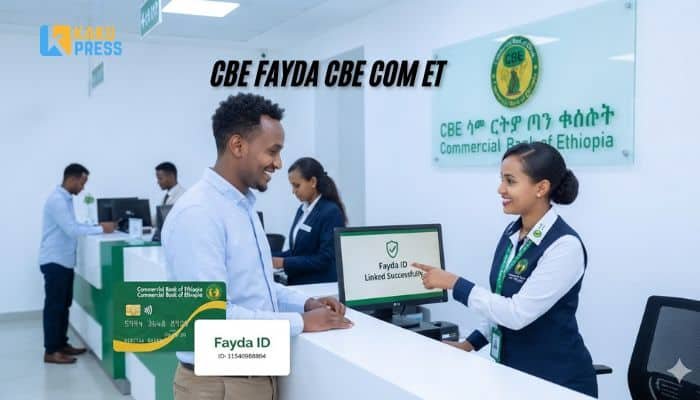
Do you have a Commercial Bank of Ethiopia account? Then you must link it to your Fayda ID. If you don’t, your account may stop working. This guide shows you the easy way to do it. You can do it online or at a branch. Let’s walk through it step by step.
What Is CBE Fayda?
CBE Fayda is the link between two things:
- Your bank account at Commercial Bank of Ethiopia (CBE).
- Your Fayda National ID, Ethiopia’s new digital ID.
The bank uses a website called cbefayda.cbe.com.et to do this. You enter your details there. Then your bank account and your Fayda ID become one linked record. This is also called “harmonizing” your account.
Why Do You Need to Link Your Fayda ID to CBE?
The National Bank of Ethiopia (NBE) told all banks to do this. It is part of a plan called VeriFayda. The goal is to check that every bank customer is a real, verified person. This cuts down on fraud. It also makes banking safer for you.
If you skip this step, CBE may block your account. You may not be able to deposit or withdraw money.
When Is the Deadline to Link Your Fayda ID?
CBE rolled out the rule in stages, based on where you live. Here is how the timeline looked:
| Area | Link By | Mandatory From |
|---|---|---|
| Addis Ababa, Harari, Dire Dawa | January 9, 2026 | January 10, 2026 |
| Woreda towns | February 8, 2026 | February 9, 2026 |
| Rural woredas and kebeles | April 8, 2026 | April 9, 2026 |
As of today, all these dates have passed. This means linking is now required for every CBE customer, in every part of the country. If you have not linked your account yet, you should do it right away.
How to Link Your Fayda ID to CBE Online?
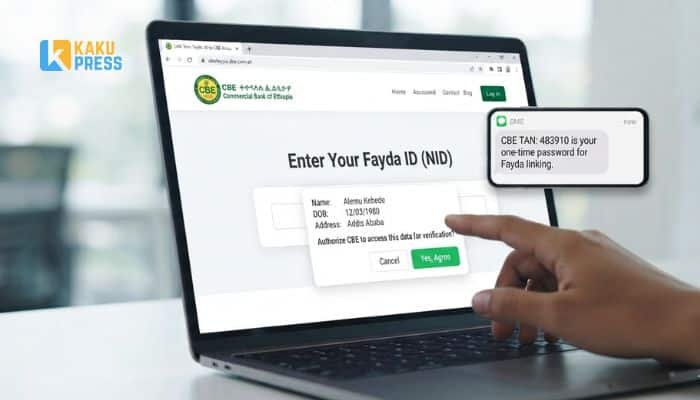

CBE built an online tool so you don’t have to visit a branch. Here is how to use it:
- Go to the CBE Fayda page. Open cbefayda.cbe.com.et in your browser.
- Enter your CBE account number. Type it in the box on the screen.
- Get your OTP. CBE sends a one-time code to your phone or email. Type this code in.
- Enter your Fayda ID number. This is the number on your Fayda card.
- Allow data access. The site will ask to check your name, birth date, and address against Fayda records. Tap “Yes” to agree.
- Wait for confirmation. Once approved, your account is linked. You’ll see a success message.
Keep your OTP private. Never share it with anyone, even someone who says they work for CBE.
What Do You Need Before You Start?
Before you open the site, get these things ready:
- Your CBE account number
- A phone number or email linked to your account, to receive the OTP
- Your Fayda ID number (from your Fayda card or the Fayda app)
- A stable internet connection
If you don’t have a Fayda ID yet, you must register for one first. You can do this at a Fayda enrollment center near you.
How to Link Your Fayda ID at a CBE Branch?
Some customers prefer to do this in person, or the online tool may not work for them. Here is the branch method:
- Visit any CBE branch. You do not need to go to your home branch.
- Bring your Fayda ID card or number.
- Ask staff to help you harmonize your account with your Fayda ID.
- Confirm your details are correct before you leave.
Branches can get busy, especially near deadlines. If you can, try the online method first.
Read: CBE Fayda: How to Link Your Fayda ID to Your CBE Account?
What Happens If You Don’t Link Your ID?
CBE has said that unlinked accounts will lose access to banking services. This can include:
- Deposits
- Withdrawals
- Transfers
- Mobile and internet banking
To avoid this, link your account as soon as you can. It only takes a few minutes online.
What Is the Difference Between FIN and FAN?
You may see two short terms used in different places. This can be confusing, so here’s a simple breakdown:
| Term | Full Name | What It Is |
|---|---|---|
| FIN | Fayda Identification Number | Your personal ID number from your Fayda card |
| FAN | Fayda Alias Number | A number CBE uses to match your Fayda record to your bank file |
In most cases, you will just enter your Fayda ID number when asked. If a CBE message asks for your “FAN,” it means the same linking process. Don’t worry about picking the wrong term. Just follow the steps on the site or ask the branch staff.
Is cbefayda.cbe.com.et Safe to Use?
Yes. This is CBE’s official site for linking your Fayda ID. A few tips to stay safe:
- Always check the web address carefully before you type in any details.
- Do not click links sent to you by strangers claiming to be “CBE support.”
- CBE staff will never ask for your OTP over the phone.
- If you’re not sure a message is real, call CBE directly or visit a branch.
Common Problems and How to Fix Them?
Many users run into the same few issues. Here’s how to solve them:
- “Pending approval” message. This is normal. Your request is in a queue. Check back after a few hours.
- OTP not arriving. Make sure your phone number or email on file with CBE is correct and active.
- Account number not found. Double-check you typed it correctly, with no extra spaces.
- Site is slow or down. Many people use it at once. Try again later, or visit a branch instead.
- You don’t remember your Fayda ID number. Check your Fayda card, or use the Fayda app to look it up.
Frequently Asked Questions
What is cbefayda.cbe.com.et? It is CBE’s official online page for linking your Fayda ID to your bank account.
Do I need a Fayda ID to keep my CBE account? Yes. Every CBE customer now needs a linked Fayda ID to use their account fully.
Can I link more than one CBE account to one Fayda ID? Yes. You can link each of your CBE accounts using the same Fayda ID.
How long does the linking process take? For most people, it takes a few minutes online, once you have your details ready.
Is there a fee to link my Fayda ID? No. Linking your Fayda ID to your CBE account is free.
What if I don’t have a Fayda ID yet? Visit a Fayda enrollment center to register. Then come back and link it to your CBE account.
Can I link my account using the CBE mobile app? CBE’s main tool for this is the cbefayda.cbe.com.et website. Check the app for updates, as banks often add new features over time.
What should I do if my linking request is rejected? Visit your nearest CBE branch. Staff can check your details and fix any mismatch between your bank and Fayda records.