
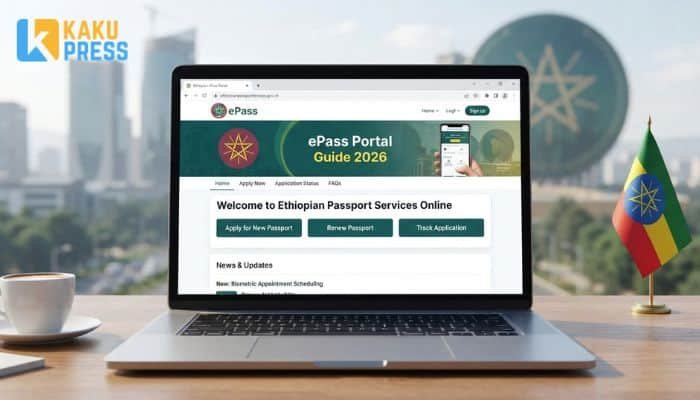
Getting a new passport used to mean long lines and lost paperwork. Now Ethiopia has an online system for this. It’s called the ePass Portal. This guide shows you how it works, step by step, in plain words.
What Is the ePass Portal?
The ePass Portal is the Ethiopian government’s online site for passport services. You use it to apply for a new passport, renew an old one, or fix mistakes on your ID. It also lets you apply for an Ethiopian Origin ID, a visa, or a work permit.
The site is run by the Immigration and Citizenship Service (ICS). You fill in your form online first. Then you visit a branch office in person for your photo and fingerprints.
Who Can Use the ePass Portal?
- Ethiopian citizens who need a new or renewed passport
- Ethiopians who lost their passport or had it damaged
- People who need to fix wrong details on their passport
- Foreign nationals who need a visa, work permit, or residence permit
- People applying for an Ethiopian Origin ID card
What Do You Need Before You Start?
Get these ready first. It will save you time.
- A Fayda ID (Ethiopia’s national digital ID)
- A working email address
- A phone number
- Clear photos or scans of your documents
- A card or method to pay the service fee online
How Do You Apply on the ePass Portal?
The process has four main steps.
- Submit your application online. Go to the portal and start your form. Fill in your name, birth details, and contact info. Pick the service you need, such as a new passport or a renewal.
- Get a date for verification. After you submit your form, the system gives you an appointment date. Write this date down.
- Visit a branch for biometrics. On your appointment day, go to your chosen office. Bring your Fayda ID and a printout of your application. Staff will take your fingerprints and photo.
- Collect your ePassport. Once it’s ready, you pick it up from the branch, or track it for delivery if that option is offered.
Read: CBE Fayda CBE Com ET 2026: CBE Fayda Login & Linking Guide
What Documents Do You Need?
The exact list depends on your service type. Here’s a quick guide.
| Service | Common Documents Needed |
|---|---|
| New passport | Fayda ID, birth certificate, passport photo |
| Renewal | Old passport, Fayda ID |
| Lost or damaged passport | Police report (if lost), Fayda ID, old passport (if damaged) |
| Data correction | Old passport, proof of correct details (ID or certificate) |
| Origin ID | Proof of Ethiopian origin, foreign ID or passport |
Always bring the original documents, not just copies, when you visit the branch.
How Much Does It Cost?
Fees change based on how fast you need your passport. The portal lists a few service speeds, such as standard processing and a faster 5-day service for urgent cases. Since fees can change, check the current price list on the portal before you pay. Don’t trust prices you see on other websites or social media.
How Do You Check Your Application Status?
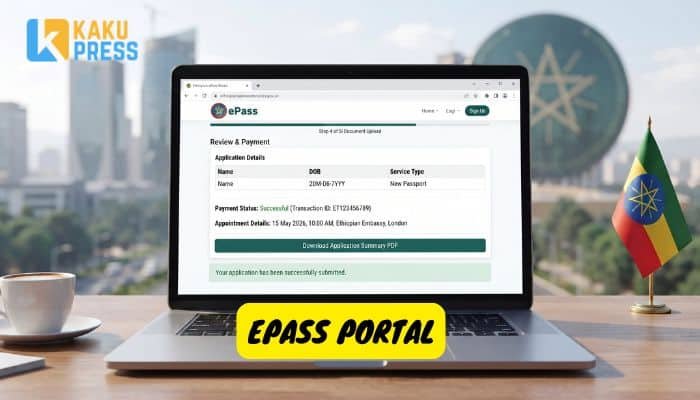
You can track your passport application without leaving your house.
- Go to the status check page on the ICS website.
- Enter your application number or reference code.
- Enter your ID number if asked.
- View your current status on screen.
This tells you if your form is still processing, ready for pickup, or needs more info from you.
What Happens After You Apply?
Once you submit your form, the system checks your details. If something is missing, you may get a message asking for more info. If all is good, you get your appointment date. Go to the office on that day with your printed confirmation and your Fayda ID.
How Long Does It Take to Get Your Passport?
Wait times depend on your service type. A standard passport takes longer than an urgent 5-day service. New biometric ePassports also went through changes in 2025 and 2026, so times may shift during the rollout. Check your status page for real-time updates on your own case.
What’s New with ePassports in 2026?
Ethiopia rolled out a new locally made biometric ePassport. This passport has an electronic chip and stronger security features than the old book. It’s part of a bigger plan to modernize travel documents and speed up border checks. If you apply now, you’re likely to get one of these newer books, not the old style.
ePass Portal vs. the Old System: What Changed?
| Feature | Old System | ePass Portal |
|---|---|---|
| Where you apply | In-person only | Online, then one office visit |
| Wait time in line | Long, in-person queues | Shorter, by appointment |
| Application tracking | Hard to check | Online status check |
| Document upload | Paper only | Digital upload |
| Passport type | Older book design | New biometric chip passport |
Tips to Avoid Delays
- Double-check your name and date of birth before you submit. Small typos cause big delays.
- Use a clear, recent photo if the system asks for one.
- Print your confirmation page before your branch visit.
- Arrive early on your appointment day.
- Keep your reference number saved somewhere safe. You’ll need it to check status later.
Who Do You Contact for Help?
If you get stuck, you can call the free line at 8133 or email the support team at ICS. Keep your application number ready when you call. This helps staff find your case faster.
FAQs
Is the ePass Portal free to use? Signing up and filling out the form is free. You pay a service fee only for the passport or ID you’re applying for.
Can I apply from outside Ethiopia? Some services, like visas or origin ID applications, can start online from abroad. But most passport services need an in-person visit to a branch inside Ethiopia. Check the portal for rules that fit your case.
What if I lose my application number? Check your email confirmation. The number is usually sent there when you submit your form. If you still can’t find it, contact support for help.
Can I change my appointment date? This depends on the portal’s current rules. Check your account or contact support to ask about rescheduling.
Do I need a Fayda ID to use the portal? Yes, for most services. It’s used to confirm your identity when you apply and when you visit the branch.
How do I know my passport is ready? Use the status check tool on the portal with your reference number. It shows your current stage, including when it’s ready for pickup.
What if my documents don’t match my application? Bring the correct documents to fix this at the branch, or update your form online if the system allows edits before your appointment.