
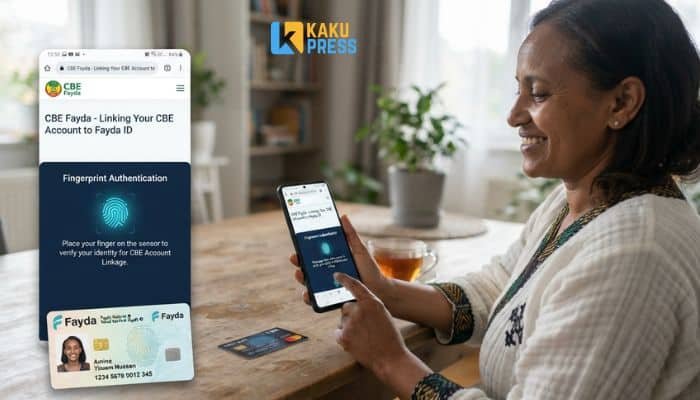
You need to link your Fayda ID to your CBE account. This guide shows you how. It’s short, clear, and easy to follow.
What Is CBE Fayda?
CBE Fayda is the online link between your Commercial Bank of Ethiopia (CBE) account and your Fayda National ID. Fayda is Ethiopia’s digital ID. It uses your fingerprint and face scan to prove who you are.
CBE built a website for this link-up. You no longer need to stand in a bank line. You do it from your phone or computer.
Why Do You Need to Link Your Fayda ID to CBE?
The National Bank of Ethiopia (NBE) made this rule. All banks must match customer data with Fayda. This is called eKYC harmonization.
Here’s why it matters to you:
- Your account may stop working if you don’t link it.
- It cuts down fraud and fake accounts.
- It’s part of Ethiopia’s push for digital services.
- New accounts now need a Fayda ID from day one.
What Do You Need Before You Start?
Get these two things ready first:
- Your 16-digit Fayda Alias Number (FAN). You got this when you signed up for Fayda.
- Your phone number on file with CBE. You will get OTP codes here. Make sure it still works.
If your phone number changed, update it at a CBE branch first. The link won’t work with an old number.
How Do You Link CBE Fayda Online?
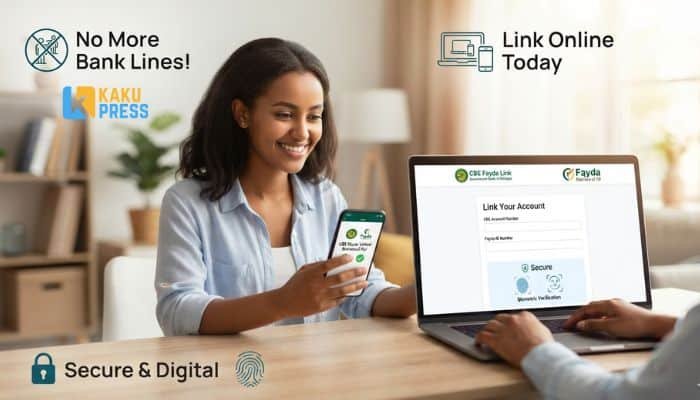
Follow these six steps.
Step 1: Go to the CBE Fayda Portal
Open the official CBE Fayda site on your browser. Check the web address twice. Fake sites copy real ones to steal your data.
Step 2: Enter Your CBE Account Number
Type in your CBE account number. Tap “Get OTP.” A code will land in an SMS on your phone.
Step 3: Verify Your CBE Account
Type the OTP into the box. Tap “Verify OTP.” Then tap “Log with OTP” to move ahead.
Step 4: Enter Your Fayda Number (FAN)
Type your 16-digit FAN. Check each digit. One wrong number and the link will fail. Tap the button to get a second OTP.
Step 5: Verify Again and Give Consent
A second OTP will arrive. Enter it. Then you’ll see a consent screen. This lets CBE and Fayda share your data. Tap “Allow,” then “Accept and Update.”
Step 6: Check Your Confirmation Message
You’ll see: “Update complete. Pending Approval.” This means your request went through. CBE still needs to check it on their end.
What Happens After You Submit?
You wait a short while. CBE runs a final check on your data. You’ll get an SMS or email once it’s approved.
Don’t submit again if you don’t hear back right away. Wait at least a day. Then try customer support if nothing changes.
What Are the CBE Fayda Deadlines?
CBE set two deadlines based on where you live.
| Area | Link by This Date | Rule Starts |
|---|---|---|
| Main towns (woreda) | 8 February 2026 | 9 February 2026 |
| Rural areas (kebele) | 8 April 2026 | 9 April 2026 |
| National Bank system-wide target | 30 March 2026 | Ongoing |
Miss the date for your area, and you may need to show your FAN in person before you can use your account again.
What If You Don’t Have a Fayda ID Yet?
You can’t link what you don’t have. Go to a Fayda enrollment center first. Bring your ID papers. They’ll scan your face and fingerprints on the spot. You’ll get your FAN once it’s done.
Do this soon. Centers get busy near deadline dates.
Read: National Fuel Flow: Complete Guide to Ethiopia’s Digital Fuel System (2026)
What Problems Do Users Face With CBE Fayda?
Here are the top issues, and quick fixes for each.
| Problem | Likely Cause | What to Do |
|---|---|---|
| OTP never arrives | Old phone number on file | Update your number at a CBE branch |
| “FAN mismatch” error | Wrong digits typed | Re-check your Fayda card, retype slowly |
| Page loads slowly | High traffic on CBE site | Try again at a quieter time, like early morning |
| Stuck on “Pending Approval” | Normal backend review | Wait 24-48 hours before contacting support |
| Link fails with no error shown | Weak internet connection | Switch to Wi-Fi or a stronger signal |
Is CBE Fayda Safe?
Yes, if you use the real site. The risk comes from fake copies, not the system itself. Here’s how to stay safe:
- Never share your OTP with anyone, even someone who says they’re from CBE.
- Type the web address by hand. Don’t click links from texts or social posts.
- CBE staff will never call and ask for your OTP.
- Log out once you’re done, especially on shared devices.
CBE Fayda Online vs. Branch Linking: Which Is Better?
| Factor | Online Linking | Branch Visit |
|---|---|---|
| Time needed | 5-10 minutes | Often 1+ hour, plus travel |
| Where | Anywhere with internet | Must visit in person |
| Documents | FAN and phone access only | FAN, ID card, sometimes proof of address |
| Best for | Most account holders | Those without internet access or facing FAN errors |
For most people, the online route is faster and simpler. Use a branch only if the online link keeps failing.
Frequently Asked Questions
What is a FAN number? FAN stands for Fayda Alias Number. It’s the 16-digit code tied to your Fayda ID. You’ll need it to link any bank account.
Can I link more than one CBE account to my Fayda ID? Yes. You can link each account you hold, one at a time, using the same FAN.
What if I lose my Fayda card? Visit a Fayda enrollment center. They can help you recover or reprint your FAN.
Is there a fee to link CBE with Fayda? No. The link-up is free for all CBE customers.
How long does approval take after I submit? Usually within a day or two. Some cases take longer if CBE needs to double-check your data.
Can I use CBE Fayda on a mobile phone? Yes. The portal works on phone browsers as well as computers.
What happens if I don’t link before the deadline? Your account access may be limited until you complete the link. You may then need to visit a branch in person.
Do other banks use the same Fayda system? Yes. Fayda linking is required across all Ethiopian banks under NBE rules, not just CBE.